For home bakers
Launching your home bakery’s own site
Bake days that open, fill and close on their own, porch pickup with the address shared after ordering, custom orders with deposits, and a checklist for your first bake.
Guide6 min read
If you bake from home, you already know the hard part is the baking. The rest is messages, a list of who wants what, and payment requests on pickup morning. A site of your own puts all of that in one place, under your bakery’s name.
This guide covers signing up, how a bake day works on Cobble, pickup without posting your address, custom orders, and a checklist for your first bake.
Small business.
Big experience.
A beautiful storefront, online ordering and payments, and one dashboard to run it all.
Signing up, screen by screen
Small business.
Big experience.
A beautiful storefront, online ordering and payments, and one dashboard to run it all.
01
Signing up
Sign up at cobblelocal.com/get-started. It asks one short question per screen: your mobile number, which is how you’ll sign in, what you make in your own words, and how your customers order. Tick “Drops and pre-orders” for bake days, “Custom orders” if you take requests, and “I work from my home kitchen”.
Then add your bakery’s name and town, and your logo, menu and colors if you have them. Every Cobble site is built by hand, and whatever you add goes straight into yours.
A bake day in the app: open, fill, pack
Saturday, November 21
Saturday bake
Pickup Saturday, 9 to noon, at the porch
What you’re baking
02
How a bake day works
A bake day is a weekly menu that opens, fills and closes on its own. You pick the pickup day, add what you’re baking and how many of each the oven can do, and open it. Each batch sells to its cap and then shows as sold out, so nothing oversells. Customers pay online when they order, so there’s no cash box on the porch.
Neighbors can tap “Notify me” on your page. When the next bake opens, each of them gets one email and can unsubscribe in one tap. The list grows every week, and it’s yours.
A week at Elle’s Sourdough
Sunday
The week’s bake opens, and everyone on the list gets an email.
All week
Orders come in, and each batch sells to its cap.
Wednesday, 10pm
Orders close for Saturday.
Friday evening
Each customer gets a reminder about their pickup.
Saturday
Pickup from the porch, each bag ticked off by its window.
Your town on the page, your address after ordering
On your page
Saturday pickup
Porch pickup in Monroe, CT · 9:00–11:00
Order confirmed
Saturday, 9:00–10:00
24 Sample Lane, Monroe
The address comes with the confirmation
03
Pickup without posting your address
Set pickup windows on the day you choose, at your porch, your doorstep or a market stall. Your page shows your town, and the exact address goes in the order confirmation, so only people who’ve ordered see it. The pickups list shows every bag under its owner’s name, and you tick each one off as it goes.
If you deliver, you can run your own delivery runs on a set day, to an area you choose.
A custom order, priced in one step
Request
Birthday cake
“Two tiers, vanilla and lemon, with pressed flowers like these.”
04
Custom orders and quotes
Not every order fits a weekly menu. With custom orders on, customers send a request with the details and photos. You price it, and Cobble turns your price into one link where they pay a deposit or the whole amount up front. When a balance is left, a reminder goes out before pickup.
Pour Some Sugar On It, a custom cookie baker in Trumbull, CT, works this way. Her site describes her cookies as “Scrumptious custom vanilla sugar cookies, iced by hand in Trumbull, CT.” Customers choose the cookies they like and send a request with no payment, and she prices each one before the link goes out.
Your site, edited from your phone
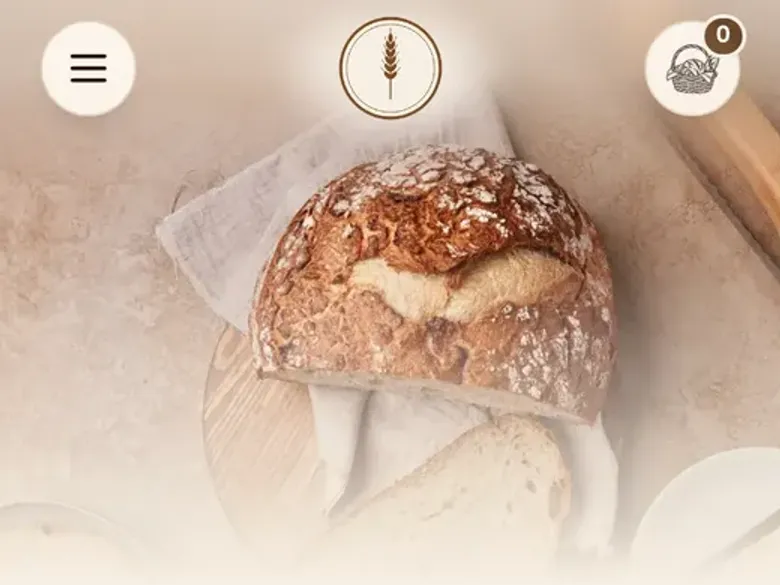
Naturally leavened in Monroe
Real sourdough,
baked to order.
Loaves, bagels and cookies from our home oven in Monroe, ready for pickup.
05
Your photos and your words
Your page is your bakery’s front window. Real photos of your own bakes, taken in daylight, do more than any description.
Write your About in your own words: where you bake, what you’re known for and how pickup works. Your regulars know your voice, so let the page sound like you.
Check your state’s rules
Check your state’s rules
- What you can sell
- Where and how you can sell it
- How it’s labeled
- How much you can sell in a year
Your state’s official cottage food page
In your Cobble account
06
Cottage food rules
Most home bakers sell under their state’s cottage food rules, and those rules differ from state to state: what you can sell, where and how you can sell it, how it’s labeled and how much you can sell in a year.
Cobble doesn’t decide any of that for you. During setup it asks your business structure and the kind of food license you have, as information for your account. Check your own state’s rules before your first bake. Your state’s official cottage food page is the place to start.
Your list hears the moment it opens
Notify list
214 subscribers
- PWaiting
Priya S.
pr•••@gmail.com
- TWaiting
Tom B.
to•••@icloud.com
- AWaiting
Ana K.
an•••@yahoo.com
- LWaiting
Leo M.
le•••@gmail.com
- GWaiting
Grace W.
gr•••@outlook.com
Emailing… 0 of 214
From Fern Street Bakes
Saturday’s bake is open
Hi neighbor, this week from my oven:
- •Chocolate chip
- •Double chocolate
- •Morning glory muffins
Pickup is Saturday, 8–10 AM, from my front porch. They go fast.
See the bakeUnsubscribe in one tap
07
Telling your list
Your first customers are the people who already ask when you’re baking next. Before your first bake opens, send them your link and ask them to tap “Notify me”, so they hear the moment it does.
- Put the link in your Instagram bio, and post the day it opens.
- Send it to the friends and neighbors who already text you for orders.
- Tuck a card with the link into every bag you hand out.
First-bake checklist
- Your bakery’s name, a photo and an About in your own words
- A photo of each bake
- The pickup day, and a cap on every batch
- Pickup windows, and where pickup happens
- Payments set up, so customers pay when they order
- Custom orders switched on, or left off for now
- Your state’s cottage food rules checked
- A test order placed on your own phone
- Your link sent to everyone who asks when you’re baking next
08
Your first bake
Run through this before you open your first bake.
What it costs
$0
a month
$0
to set up
0
contracts
Paid by your customer, unless you cover it
09
What it costs
Cobble costs your bakery $0 a month, with no setup fee and no contract. Cobble is paid by a 3% service fee on each online order, typically 20¢ to 99¢, which your customer pays unless you choose to cover it. Card processing is 3.3% + 30¢, and card payments are paid out to your bank.
Sources
- 1.Cobble, Pricing, read November 16, 2026